
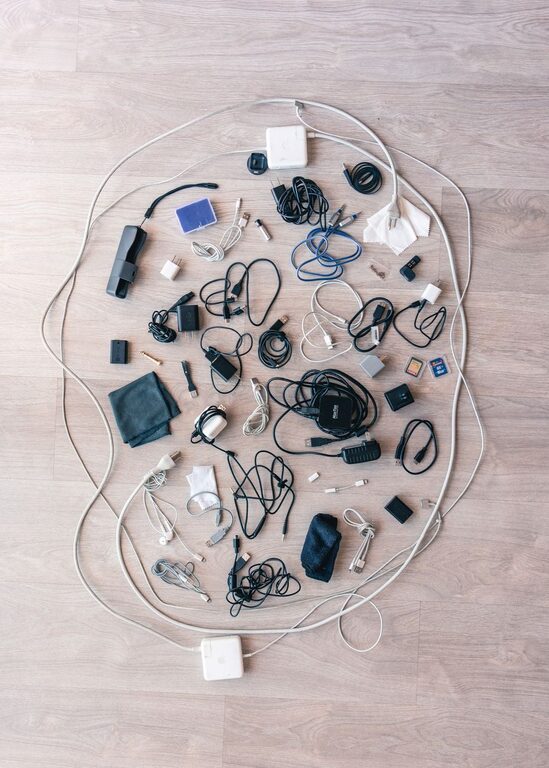
Cables and chargers have a way of spreading across desks, nightstands, kitchen counters, and drawers. A few cords can quickly become a tangled pile that is difficult to use, clean, or identify. The good news is that organizing them does not require expensive equipment or a large amount of space.
With a simple system, you can keep frequently used chargers within reach, store spare cables neatly, and prevent cords from becoming tangled. The key is to sort what you have, choose storage based on how often you use each item, and create habits that make it easy to put everything back.
Start by Gathering and Sorting Everything
Before buying organizers, collect all of your cables and chargers in one place. Check desks, drawers, bags, cabinets, and other common storage areas. Seeing everything together makes it easier to identify duplicates and decide what you actually need.
Create a few basic groups:
– Phone and tablet charging cables
– Computer and monitor cables
– Audio and video cables
– Power cords and extension cords
– Spare or rarely used cables
– Unknown cables that need testing
Untangle each cord and inspect it for damage. Look for frayed insulation, bent connectors, loose parts, or signs of overheating. Damaged cables should not be kept in regular use. Set them aside for proper recycling or disposal according to local guidelines.
Test unfamiliar cables if possible. If you cannot identify a cable after checking its connector and intended use, place it in a small “to identify” box. Set a reminder to review the box later rather than allowing unknown cords to fill your everyday storage.
Reduce Duplicates and Unused Items
Many cable collections grow because people keep every cord they receive with a device. You may find several cables that perform the same function, along with outdated cords for devices you no longer own.
Keep a reasonable number of reliable backups, especially for cables used often or taken while traveling. However, avoid storing large quantities of identical cables without a clear purpose. Fewer items make the entire system easier to maintain.
A useful rule is to keep:
– One primary cable for each frequently used device
– One backup for important devices
– A small selection of specialty cables
– Only the adapters and power bricks you still use
If a cable has not been used in a long time and you no longer have a device that requires it, it may be ready to leave your collection.
Create Everyday Charging Stations
The cables you use every day should be stored where you charge your devices. A dedicated charging station prevents cords from traveling around the house and reduces clutter on other surfaces.
Choose a location based on your routine. Common options include:
– A corner of a desk
– A nightstand
– A kitchen counter
– A shelf in a family room
– A small table near an entryway
Use a cable management box or tray to hide extra cord length and keep power strips contained. Cable clips can hold charging ends at the edge of a desk or table, so they do not fall to the floor when disconnected.
For a simple charging station, place the power adapter or power strip in a stable location, guide the cables through clips or a small opening, and leave only enough length exposed to reach your device comfortably. Avoid pulling cords tight, since repeated tension can damage the cable or connector.
Use Simple Wraps for Loose Cables
Loose cables stay neat when they are wrapped consistently. A relaxed loop is better than a tight knot, which can place stress on the cable and shorten its useful life.
Try these methods:
– Use reusable hook and loop straps
– Secure each cable with a soft twist tie
– Coil the cable in a loose circle
– Use a small cable organizer pouch
– Wrap the cable around a compact spool designed for storage
When wrapping a cable, keep the connector near the outside of the loop so it is easy to find. Do not bend the cable sharply near the plug or connector. For cables that are stored for a long time, a loose figure-eight wrap can help prevent tight kinks.
Avoid using tape directly on cables. It can leave residue, become difficult to remove, or place pressure on the cord when wrapped tightly.
Label Cables at Both Ends
Labels are especially helpful when many cables look alike. A label on each end lets you identify a cable without tracing it through a pile or behind furniture.
You can use:
– Small adhesive labels
– Reusable cable tags
– Colored bands
– Masking tape with handwritten notes
– Heat-shrink labels for a more permanent option
Keep labels short and clear. Examples include “phone,” “monitor,” “camera,” “desk,” or “travel.” If a cable belongs to a specific device, label it with the device name rather than the cable type.
Color coding can make the system easier to understand at a glance. For example, use one color for work equipment, another for travel cables, and a third for household electronics. Choose a small number of colors so the system remains simple.
Store Spare Cables by Type
Spare cables should be stored separately from everyday charging cables. This keeps your daily area clear and makes backup items easier to find.
A drawer with small compartments works well. You can also use:
– Clear zipper pouches
– Small storage boxes
– Divided bins
– Document organizers
– A hanging shoe organizer with labeled pockets
Group similar cables together, but do not place too many items in one container. A crowded bin can become just as difficult to use as a tangled drawer.
Store power adapters with the cables they belong to when possible. If an adapter is interchangeable, label it with its output information or intended device. Keeping related pieces together prevents guesswork later.
Manage Cables Behind Furniture
The area behind a desk or entertainment center can become cluttered quickly. Start by unplugging equipment and identifying each cord before moving anything. Take a photo of the setup if you expect to reconnect several devices.
Use cable sleeves, clips, or reusable straps to group cords that travel in the same direction. Keep power cables separate from groups of small signal or charging cables when practical. Leave enough slack near each device so you can move it without pulling on the connection.
Attach labels close to the plug or device end. This makes it easier to identify cords when equipment needs to be moved or disconnected. Do not bundle cables so tightly that they become difficult to inspect or maintain.
Keep cords away from walkways, heat sources, and areas where they can be pinched by furniture. Power strips should remain accessible rather than buried under heavy objects.
Build a Travel Cable Kit
A small travel kit prevents you from searching through your main storage every time you pack. Choose a compact pouch with sections or elastic loops to keep items separated.
A practical travel kit may include:
– One main charging cable
– One backup cable
– A compatible power adapter
– A compact power bank, if needed
– A short extension cord or adapter for your destination
– Small cable ties
Label the pouch and review it after each trip. Replace missing items immediately so it is ready for the next use. Avoid carrying every cable you own. A small, focused kit is easier to pack and less likely to become tangled.
Maintain the System
Cable organization works best when it becomes part of your normal routine. Return each cable to its assigned location after use, especially in shared areas. Once a month, take a few minutes to remove trash, check for damaged items, and return misplaced cables.
When you buy a new device, decide where its cable will live before opening another drawer. If the new cable replaces an older one, remove the old item or move it to a clearly labeled backup area.
A neat cable system does not need to look perfect. It only needs to make cables easy to identify, access, and store safely. By reducing duplicates, labeling important items, and using simple storage zones, you can keep chargers and cords under control with minimal effort.